AI product images: when not to use one on a product page
A sharp AI product image can look more convincing than a real photo. That is exactly what makes it risky on a shop page.
The short version
Use a generated image where you are selling an idea, and a real photo where you are selling an item. If a customer could ask does it come like that?, the picture has to be real.
A clean picture makes a wrong detail believable
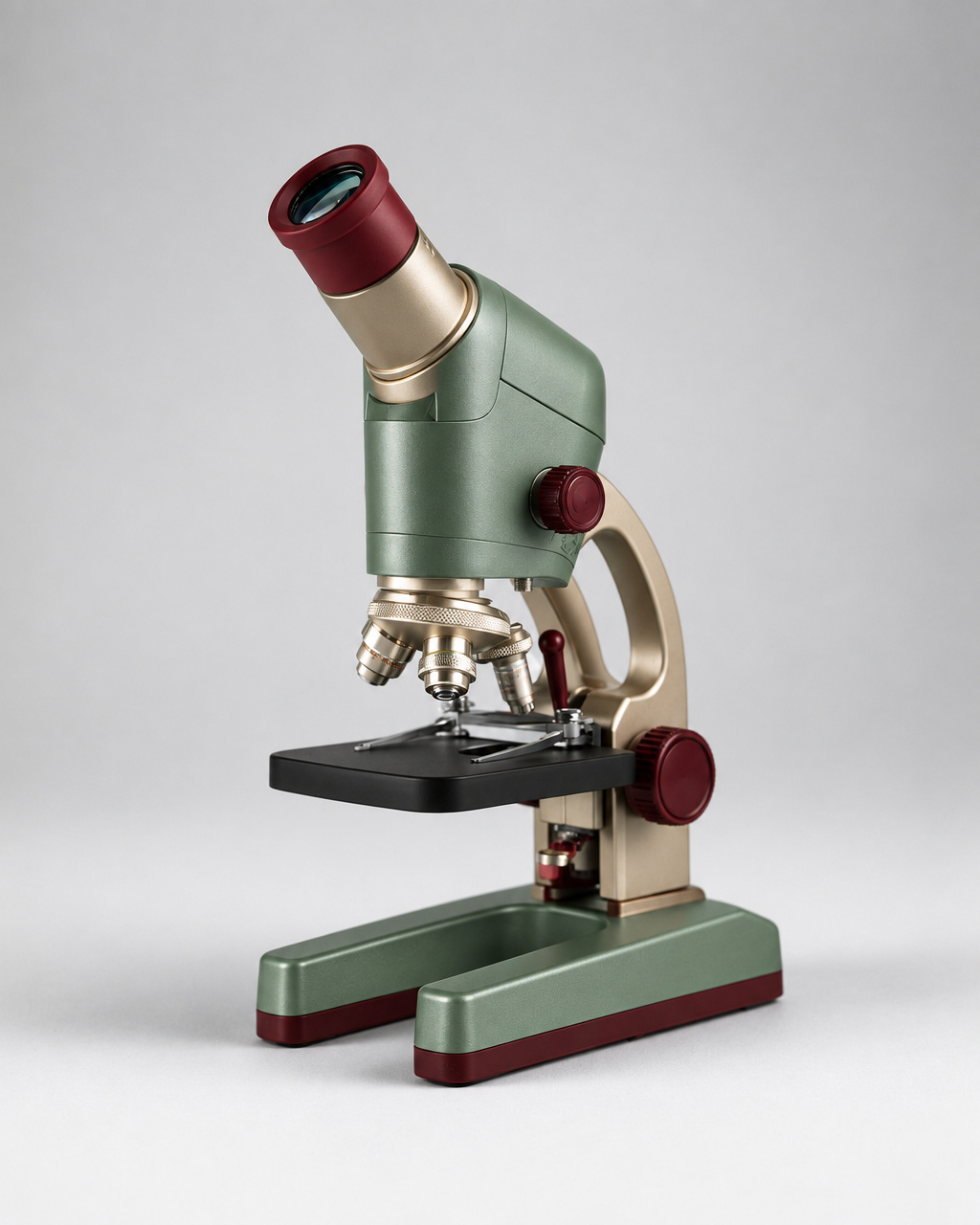
Look at the microscope above, from the GPT Image 2.5 Flare gallery. Pale green body, dark red controls, metal rings around the lenses, plain background. Every part is easy to see.
That clarity is great for a magazine illustration. On a shop page it becomes a promise. A sharp picture of a knob, a port or a second lens reads as yes, that is included.
A blurry photo makes people ask questions. A crisp render makes them stop asking. That is the whole risk in one sentence.
The one question that settles it
Before you use a generated image, ask this: could a customer point at this picture and say the product should look like that?
If yes, the picture is part of the deal and it has to be a real photo of the real item. If no, you are free.
| Where the image goes | Generated artwork | Why |
|---|---|---|
| Blog post about a subject | Fine | Nobody is buying the pictured object. |
| Concept board, pitch, mock-up | Fine | It shows an idea, not stock. |
| Social post about your brand | Usually fine, if labelled | It sells a mood, not a spec. |
| Category or range banner | Careful | Keep it clearly stylised, not a fake photo. |
| Product listing photo | No | It is the thing being bought. |
| Spec image, size chart, what is in the box | No | People will count what they see. |
Advertising rules in most countries sit on the same idea: a claim has to be true, and a picture is a claim. The US FTC and the Dutch ACM both publish plain guidance for businesses. Neither one cares how the picture was made.
What no picture can tell you
Some facts simply are not in an image, however good it looks. For the microscope, that includes:
- How much it magnifies.
- How big it is, and how heavy.
- How many lenses come in the box.
- What fits it and what does not.
- Whether the light runs on batteries or a cable.
People will still try to read those things out of the picture, because that is what pictures are for. So put the numbers in text right next to the image, and add one photo of the box contents. That single photo answers more questions than three beautiful angles.
A checklist for reviewing a product image
If you do use a generated picture near a real product, compare it against approved photos point by point. Vague questions like does this look realistic? are useless. Named checkpoints are not.
- Same number of controls, in the same places?
- Same ports, sockets and cables?
- Same body shape and proportions?
- Same finish and colour name?
- Same accessories visible, no extras?
- No invented branding or badges?
Extras are the sneakiest problem. A model will happily add a second eyepiece, a spare knob or a neat little stand because it makes a nicer picture. On a shop page, that is a returned parcel and a refund.
Build a set of images around real questions
Three nearly identical angles take up space and answer nothing. A good set answers one question per image.
- The whole item on a plain background, so people see the shape.
- The working part close up, such as the controls or the screen.
- What is in the box, laid out flat.
- Scale, with a hand or a desk in the picture.
- In use, which is where a generated lifestyle image can genuinely help.
That last one is the sweet spot for AI artwork. Nobody buys the desk, the hand or the window light. They buy the microscope, and the microscope in the listing photo is real.
Whatever you publish, write proper alt text and a real caption. The W3C images tutorial covers the how, and Google’s image guidelines explain why it also helps people find the page.
Questions people ask
Is it against the rules to use AI images in a shop?
Not in itself. The rules are about whether your page is misleading. Artwork that shows an idea is fine. A generated picture standing in for the item you ship is the part that gets you in trouble.
Do I have to say an image was made with AI?
Check the rules for your market and the platform you post on, because they differ. Saying it is a good habit anyway: a one-line caption costs nothing and it removes the argument.
Can I use AI to clean up a real product photo?
Removing dust or fixing the background is normal retouching. Changing the product itself, adding parts or inventing a colour you do not sell crosses the line.
What about a product that does not exist yet?
That is a good use. Label it as a concept or a render, keep it away from the buy button, and do not attach a price to a picture of something nobody can ship.
Where to read more
Outside sources
- FTC: truth in advertisingPlain business guidance on what makes an advert misleading.
- ACM (Netherlands)The Dutch consumer and markets authority, in English.
- Google: image guidelinesHow to publish images so people and search engines can use them.
More from DaFreeAi
- How to show three product colours in one imageThe layout rules for a fair range shot.
- How to leave room for text in a product adWhere the claims go once the picture is done.
- How to storyboard a product demoThe same line between concept and claim, in video.
- GPT Image 2.5 FlareThe gallery this render comes from.
Make concept artwork, not fake listings
Try a product concept image on DaFreeAi, then keep your real photos for the listing.
Open a modelUpdated 12 September 2026.